

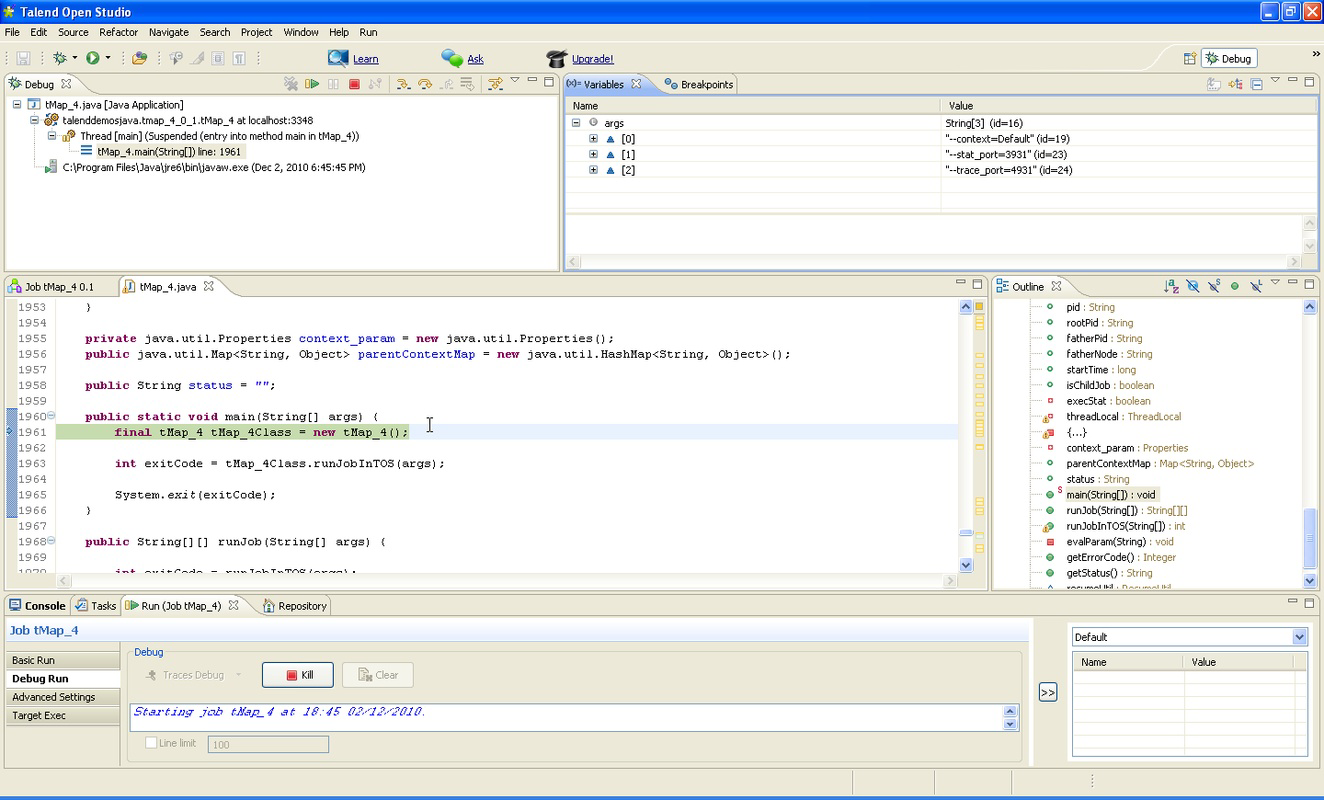


Description
Download Talend Open Studio – Data Integration, Open Source, Job Designer, Metadata Manager
Overview
Talend Open Studio is a robust open-source platform designed for data integration, offering a comprehensive solution for organizations seeking to streamline their data workflows. Built to support complex data operations such as integration, migration, and synchronization, the application enables users to manage data across diverse systems efficiently. Its primary purpose lies in simplifying the development and maintenance of data jobs through a visual, intuitive interface. This makes it particularly valuable for data engineers, analysts, and IT professionals tasked with connecting disparate databases, applications, and cloud services.
The tool is tailored for enterprise and mid-sized businesses aiming to reduce deployment time and operational costs. By leveraging prebuilt connectors and a unified development environment, Talend Open Studio enhances productivity and minimizes manual coding. Real-world use cases include synchronizing customer data between CRM and ERP systems, migrating legacy data to modern platforms, and automating ETL (Extract, Transform, Load) processes. The application plays a critical role in the data ecosystem by bridging gaps between siloed systems and ensuring data consistency across environments.
Developed by Talend, a company known for its data integration solutions, the platform benefits from a strong community and ongoing open-source contributions. Although the developer did not provide additional technical details about internal architecture or support channels, the application’s longevity—first released in 2012—demonstrates its stability and relevance in the evolving data management landscape.
Key Features & Functionality
Talend Open Studio delivers a suite of powerful capabilities that enhance data integration workflows. At its core is a graphical development environment that allows users to design data jobs visually, reducing the need for complex scripting. This interface supports drag-and-drop functionality, enabling users to connect components such as data sources, transformations, and targets, which accelerates development and improves clarity.
- Graphical Development Environment: Users can build and visualize data pipelines without deep programming knowledge, making it accessible to both technical and non-technical team members.
- Prebuilt Connectors: The platform includes ready-to-use connectors for databases, cloud services, and enterprise applications, significantly reducing setup time and integration complexity.
- Integrated Applications: Talend combines three core tools—Business Modeler, Job Designer, and Metadata Manager—into a single interface, promoting consistency and collaboration across teams.
- Comprehensive Data Operations: Supports a wide range of data tasks including ETL, data migration, synchronization, and transformation, ensuring flexibility across use cases.
- Open-Source Model: As an open-source solution, it eliminates licensing fees, offering a cost-effective alternative for organizations with budget constraints.
For example, a company migrating from an on-premise database to a cloud-based system can use Talend’s connectors and visual workflow to automate the entire process. Similarly, a data analyst can model business processes using the Business Modeler and deploy them as executable jobs, improving transparency and maintainability.
Interface, UX & Performance
The user interface of Talend Open Studio is designed around a modular, visual workflow that emphasizes clarity and ease of navigation. The layout organizes tools into distinct panels: a palette of components, a central workspace for building data flows, and a properties panel for configuring settings. This structure supports a logical workflow, allowing users to design, test, and deploy jobs with minimal friction.
Navigation is consistent across the integrated applications—Job Designer, Business Modeler, and Metadata Manager—ensuring a cohesive experience. The interface supports keyboard shortcuts and customizable layouts, enhancing efficiency for experienced users. Although the developer did not list formal performance metrics, the application is known to handle medium to large-scale data operations effectively, with responsiveness dependent on system resources.
Performance on different device categories is not specified. However, given its desktop-oriented nature and resource demands, it is best suited for modern desktop environments rather than mobile devices. Stability appears reliable, particularly in well-configured setups, with no widespread reports of crashes or data corruption. The application maintains state during editing, reducing the risk of data loss during long development sessions.
Platform Compatibility & Technical Requirements
Talend Open Studio is available for desktop platforms, primarily targeting Windows, macOS, and Linux operating systems. The application is distributed as a downloadable package, with the latest version available for installation on compatible systems. The file size is approximately 2.5 GB, reflecting its comprehensive toolset and dependencies.
The developer did not specify minimum OS requirements or version compatibility details. However, based on historical release patterns, the software is designed to run on recent versions of Windows (10 and 11), macOS (10.15 and later), and modern Linux distributions. Compatibility with older systems may vary, and users are advised to consult official documentation for precise configuration guidelines.
Pros and Cons
Pros
- Open-source model reduces licensing and operational costs
- Intuitive graphical interface lowers the learning curve for new users
- Extensive library of prebuilt connectors for rapid integration
- Integrated suite of tools (Job Designer, Business Modeler, Metadata Manager) enhances workflow cohesion
- Supports a wide range of data operations including ETL, migration, and synchronization
Cons
- Not available as a mobile app; designed for desktop use only
- Resource-intensive; requires a capable system for optimal performance
- Specific technical requirements and compatibility details were not disclosed
- Learning curve may be steeper for users without prior data integration experience
- Limited mobile or cloud-based deployment options
FAQ
Is Talend Open Studio free to download and use?
Yes, Talend Open Studio is an open-source application, which means it is available for free download and use without licensing fees.
Can I use Talend Open Studio on mobile devices?
Currently, Talend Open Studio is designed for desktop platforms and is not available as a mobile application. It cannot be installed on Android or iOS devices.
What operating systems are supported?
The application is compatible with Windows, macOS, and Linux. Specific version requirements were not provided by the developer.
How often is Talend Open Studio updated?
Updates are released periodically by the development team, though the exact frequency was not specified in the provided information.
Is Talend Open Studio secure for enterprise use?
As an open-source tool with a strong community and long-standing presence, Talend Open Studio is considered secure for enterprise data integration tasks when used with proper system and network safeguards.
Final Thoughts
Talend Open Studio stands out as a powerful, cost-effective solution for organizations managing complex data integration challenges. Its visual development environment, combined with a rich set of prebuilt connectors and integrated tools, makes it a valuable asset for data engineers and IT teams. While not suited for mobile use, its desktop capabilities offer a robust platform for designing scalable, maintainable data workflows.
Businesses seeking to reduce integration time, minimize development costs, and improve data consistency across systems will find significant value in this tool. The open-source nature ensures long-term flexibility and community-driven innovation.
Download Talend Open Studio now
Guides & Tutorials for Talend Open Studio
How to install Talend Open Studio
- Click the Preview / Download button above.
- Once redirected, accept the terms and click Install.
- Wait for the Talend Open Studio download to finish on your device.
How to use Talend Open Studio
This software is primarily used for its core features described above. Open the app after installation to explore its capabilities.
User Reviews for Talend Open Studio 0
No reviews found


